
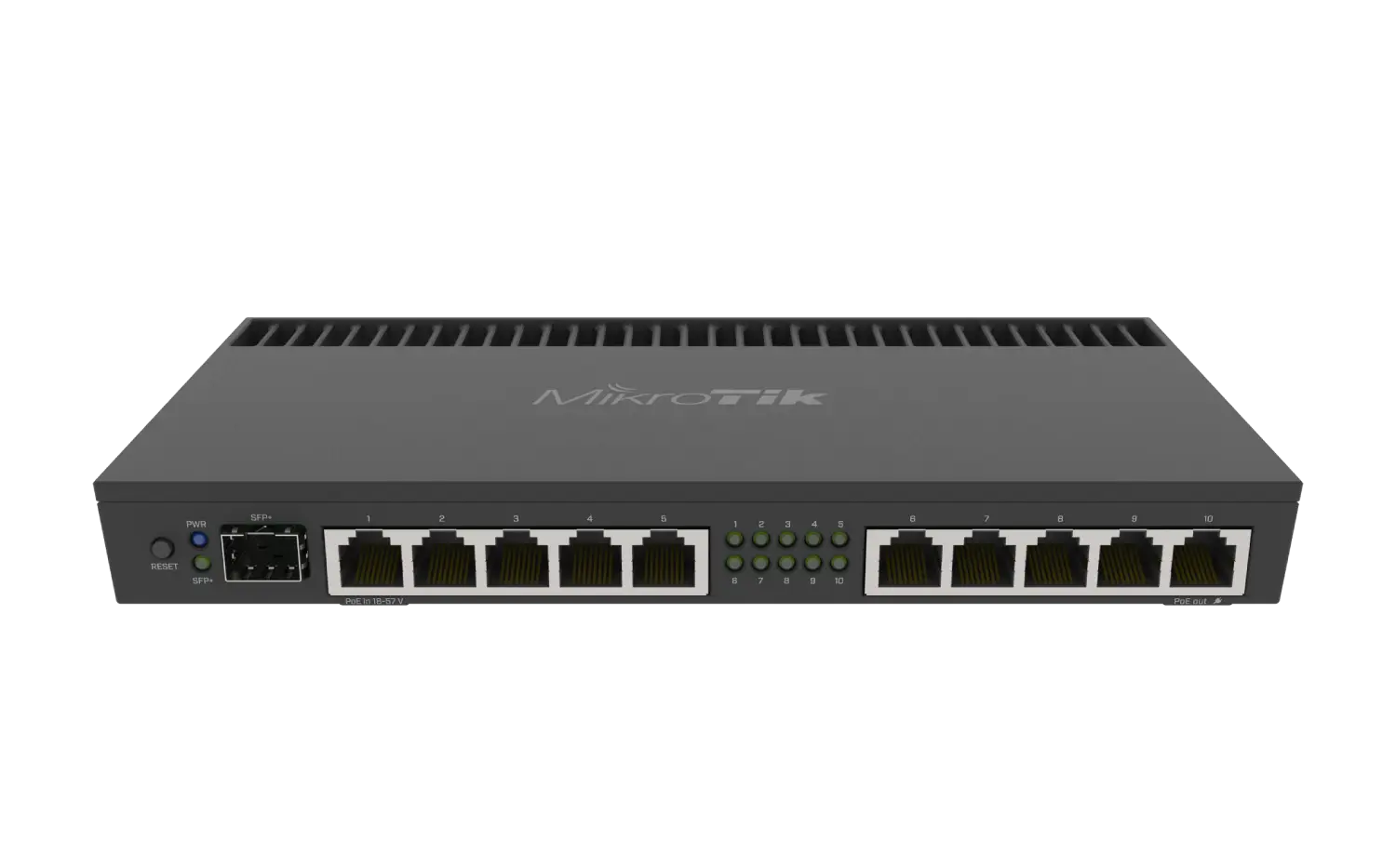

Description
Introduction to Mikrotik RB4011iGS+RM
As technology advances, the requirement for efficient and dependable network infrastructure becomes more critical than ever. Mikrotik has been at the forefront of offering new solutions in the pursuit for high-speed data transfer and seamless communication. The Mikrotik RB4011iGS+RM router, meant to change your network architecture, is one of their most outstanding offers.
With its sophisticated features and functions, the Mikrotik RB4011iGS+RM router is a potent device that will improve your network. It is a 10Gbps router built to manage fast data flow and accommodate numerous users. The Mikrotik RB4011iGS+RM is gaining popularity among network managers and IT specialists thanks to its distinctive appearance and exceptional performance. In this post, we’ll examine this router’s features, advantages, and potential to alter your network setup.
Features of Mikrotik RB4011iGS+RM
The Mikrotik RB4011iGS+RM is a feature-rich router that comes with a range of advanced functionalities. Some of the key features of this router include:
1. 10Gbps Ethernet Ports
One of the most impressive features of the Mikrotik RB4011iGS+RM is its 10Gbps Ethernet ports. This makes it ideal for applications that require high-speed data transfer such as video streaming, online gaming, and large file transfers. The router also comes with a total of 10 Gigabit Ethernet ports, which means you can connect multiple devices simultaneously.
2. Dual-Band Support
The Mikrotik RB4011iGS+RM supports both 2.4GHz and 5GHz bands, which means it can handle multiple devices at once. This is particularly useful in environments where there are many users all trying to access the network at the same time.
3. Advanced Security Options
Advanced security features on the Mikrotik RB4011iGS+RM shield your network from online dangers. These consist of an integrated firewall, VPN assistance, and the capacity to design secure VLANs. Additionally, the router supports several forms of authentication including RADIUS, LDAP, and Active Directory.
4. Simple to Set Up
Even non-technical users should have no trouble configuring the Mikrotik RB4011iGS+RM. It has a web-based interface that enables remote configuration and management of the router. You can rapidly set up your network since the UI is simple to use and straightforward.
Using the Mikrotik RB4011iGS+RM for your network infrastructure has several advantages.
Utilizing the Mikrotik RB4011iGS+RM for your network architecture has several advantages. Some of the main benefits are as follows:
1. Quick Data Transfer
Due to the high-speed data transmission capabilities of the Mikrotik RB4011iGS+RM, you may take advantage of quick internet access and smooth connectivity. This is especially helpful in situations where a large number of users are simultaneously attempting to access the network.
2. Second-Generation Security Features
Advanced security features on the Mikrotik RB4011iGS+RM shield your network from online dangers. In today’s environment, when cybercrime is on the increase, this is extremely crucial. You can be sure that your network is secure with the Mikrotik RB4011iGS+RM.
3. Easy to Configure
The Mikrotik RB4011iGS+RM is designed to be easy to configure, which means you can quickly get your network up and running. This is particularly useful for non-technical users who may not have experience with networking.
4. Cost-Effective
The Mikrotik RB4011iGS+RM is a cost-effective solution for your network infrastructure. It is more affordable than other routers with similar features and functionalities.
How to use Mikrotik RB4011iGS+RM in your network infrastructure: best practices
The Mikrotik RB4011iGS+RM should be used in accordance with some best practices if you want to maximize its potential. Here are some pointers to assist you with network infrastructure optimization:
It’s crucial to maintain your Mikrotik RB4011iGS+RM’s firmware up to date. This guarantees that the router is operating efficiently and that any security flaws are fixed.
2. Track Network Activity
It’s crucial to keep an eye on network traffic to spot any possible problems. This might aid in locating any congestion points or bottlenecks so that your network can be optimized appropriately.

Reviews
There are no reviews yet.